Kubernetes for Backend Engineers — Pods, Scaling, Networking and Production
Kubernetes explained the way a backend engineer needs it: the control-loop model, the cluster, pods, Deployments and rolling updates, requests and limits (with real OOM-kill and CPU-throttle experiments), the scheduler, Services and Ingress, config and secrets, probes and self-healing, autoscaling, storage and StatefulSets, and production security. Container behaviour is measured for real; control-plane logic is shown with faithful simulations and real kubectl output.


Kubernetes has a reputation for being complicated, and some of that is deserved. But most of the confusion comes from learning it as a pile of YAML keys and kubectl commands, without the one idea that ties it all together. Once that idea clicks, the rest stops feeling like memorisation and starts feeling obvious.
That idea is the control loop: you declare the state you want, and controllers watch reality and continuously work to match it. A pod dies, the system notices the gap and makes a new one. You change a number from 3 to 5, and five appear. You never issue step-by-step commands; you describe the destination, and Kubernetes drives there and stays there. Every feature in this course is a variation on that loop.
This course is written for backend engineers: people who build and run services and need Kubernetes to deploy, scale and keep them healthy, not people who want to become cluster administrators. I keep it practical and honest, including about when you shouldn’t use Kubernetes.
Where I can, I show real behaviour, not claims. Running a full Kubernetes cluster wasn’t possible in the environment I wrote this in (the sandbox’s cgroup setup blocks the nested containers a real cluster needs), so I did the next best thing: I ran the container-level experiments for real with Docker, which uses the exact same Linux cgroup mechanism that Kubernetes limits use. You’ll see a real OOM kill (exit code 137), real CPU throttling (a loop taking 3.6x longer under a tighter CPU limit), and real kubectl-generated manifests. For the control-plane logic (scheduling, autoscaling, eviction order, rolling updates), I wrote faithful simulations of the actual algorithms and show their output. Each diagram says whether it’s a real measurement or a simulation.
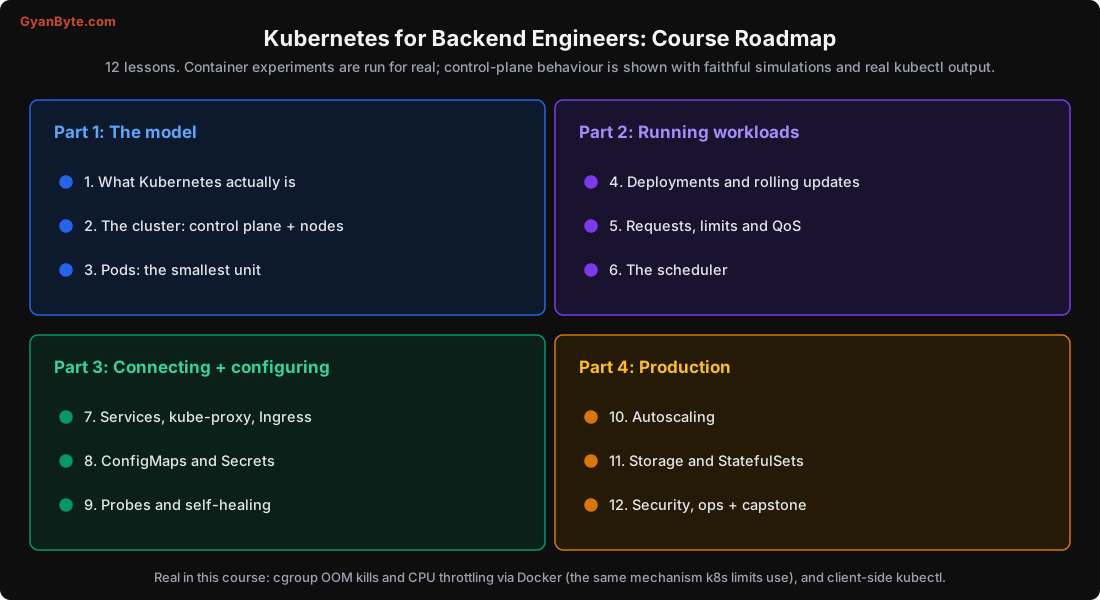
What This Course Covers
| # | Lesson | What you will learn |
|---|---|---|
| 1 | What Kubernetes Actually Is | The control loop, and whether you even need it |
| 2 | The Cluster: Control Plane and Nodes | API server, etcd, scheduler, kubelet, and the request flow |
| 3 | Pods: the Smallest Unit | Shared network, sidecars, why not bare containers |
| 4 | Deployments and Rolling Updates | ReplicaSets, zero-downtime rollouts, instant rollback |
| 5 | Requests, Limits and QoS | Real OOM kills and CPU throttling; eviction order |
| 6 | The Scheduler | Filter and score; spread vs bin-packing; affinity and taints |
| 7 | Services, kube-proxy and Ingress | Stable addresses, load balancing, DNS, HTTP routing |
| 8 | ConfigMaps and Secrets | Config out of the image; handling secrets properly |
| 9 | Probes and Self-Healing | Startup, readiness and liveness done right |
| 10 | Autoscaling | The HPA formula, Cluster Autoscaler, VPA, scale-to-zero |
| 11 | Storage and StatefulSets | Volumes, PV/PVC, and running stateful systems |
| 12 | Security, Ops + Capstone | RBAC, network policy, and a full app deployment |
How This Fits With the Other Courses
The site’s AWS for Backend Engineers course covers containers vs serverless on AWS and CI/CD to ECS; this course goes deep on Kubernetes itself, which runs on any cloud. The Distributed Systems in Practice course explains the ideas (consensus, replication, health checks) that Kubernetes is built on; here we see how Kubernetes applies them. And the Open LLMs in Production course’s scaling lesson uses the Kubernetes concepts taught here.
Who Is This For?
- Backend engineers deploying services to a Kubernetes cluster (managed or self-run)
- Engineers who use
kubectl applybut don’t fully understand what happens after - Anyone preparing for backend or platform interviews where Kubernetes comes up
Prerequisites
- Comfortable with Docker and containers (images, running a container, ports)
- Basic command line and YAML
- You don’t need a cluster to follow the ideas; to practise, install a local one (kind, k3d or minikube) on a machine whose kernel supports it, or use a managed cluster
Let’s start with the idea that makes everything else make sense: the control loop.